
The method you'll find here is the text-and-audio method, where you'll study, well, a text along with the matching audio. It's one of the most popular and effective methods for language learning around the world. You'll also learn how to use Anki, a flashcard app that helps you memorize the content you study.
The Method
The method is simple and easy. Find a short text with matching audio that's no longer than 1 minute and 30 seconds and study it. Ideally, the audio shouldn't be longer than 1 minute. This is the simple step-by-step guide you should follow:
- 1) Listen to the audio for the first time before reading the text, just to get familiar with the content;
- 2) Listen to the audio again, but this time read the text alongside it;
- 3) Study the text thoroughly, identifying the meaning of each word and expression in context;
- 4) (Optional but highly recommended) Copy the full text to a notebook so that you can get familiar with the written language;
- 5) Add all the sentences to your Anki deck;
- 6) Listen to the audio alongside the text 5 to 10 times, in the morning, in the afternoon, and in the evening.
And that's basically it. By following these steps, you can learn and practice your reading, listening, writing, and even speaking skills in the language you're studying — improving your overall comprehension. You should study each text for 3 days, like this:
- Day 1) Follow all 6 steps;
- Day 2) Repeat steps 1, 2, and 6, but now you'll read the text out loud;
- Day 3) Now you'll take the next step, leaving the written text aside and practicing shadowing, that is, listening to the audio and repeating out loud what you hear, mimicking the speaker's pronunciation, rhythm, and intonation as closely as possible.
It doesn't need to be perfect. At first, you won't be able to keep up with the audio, either when reading the text or practicing shadowing, and that's totally normal. In time, with constant daily study, you'll definitely improve your language skills. If you follow each step, even if just for a single month, it's almost impossible not to learn something. Very unlikely, almost impossible.
Anki
There are many Anki tutorials on the internet in case you want to master the app. Here, I'll explain how to use it as simply and easily as possible. Anki is an app for desktop and smartphone devices that uses flashcards (or just cards) with two sides or fields: a front side/field (like a question) and a back side/field (like an answer).
Using it for language learning is simple: you write a sentence you want to learn in the target language on the Front field and the translation or explanation on the Back field. The goal is to stimulate your brain to remember the meaning of the sentence without needing to see the translation. In other words, you must be able to understand what's on the front of the card without needing to look at the content of the back of the card.
Installing Anki is also simple. First, visit its official website, Anki, as shown in the image below:
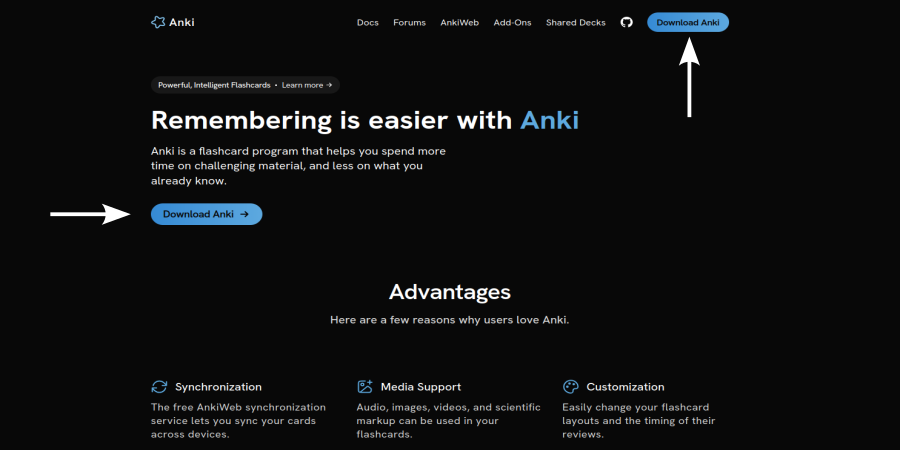
Click on the download button. The site will take you to the download section. Download the app according to your operating system, whether desktop (Linux, macOS, Windows) or smartphone (iOS, Android):
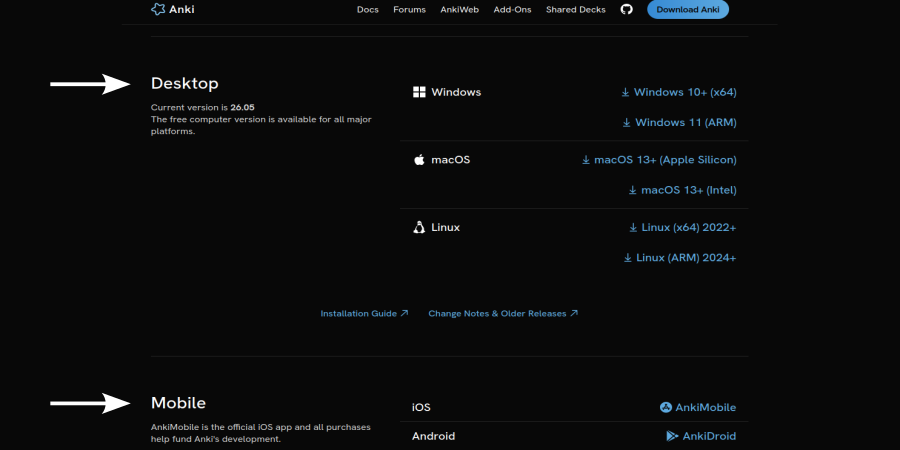
Anki is free on desktop and on Android and paid on iOS. If you don't want to pay for the iOS version, you may use Anki's web version for free.
From this point on, I'll be using the Windows version in Portuguese, but the installation process is pretty much the same on all other operating systems. I recommend creating an account on Ankiweb so that you can sync your decks and cards on any device. If you choose not to create an account, all your Anki cards will only be available on the device you're using.
After installing the app, you'll see a page like this:
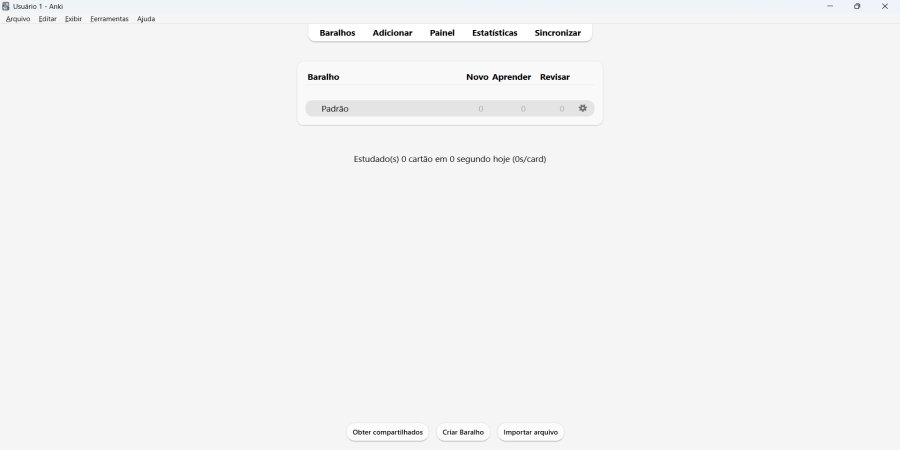
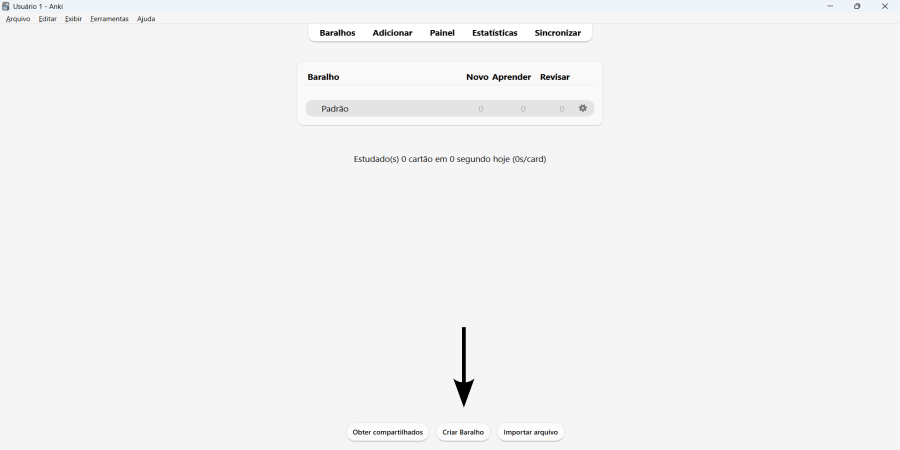
Now you'll create a deck by clicking on the “Create Deck” button. Write the name of the language you're learning — since I first wrote this tutorial in Portuguese and French, I chose “English” as the target language — and click “OK”:
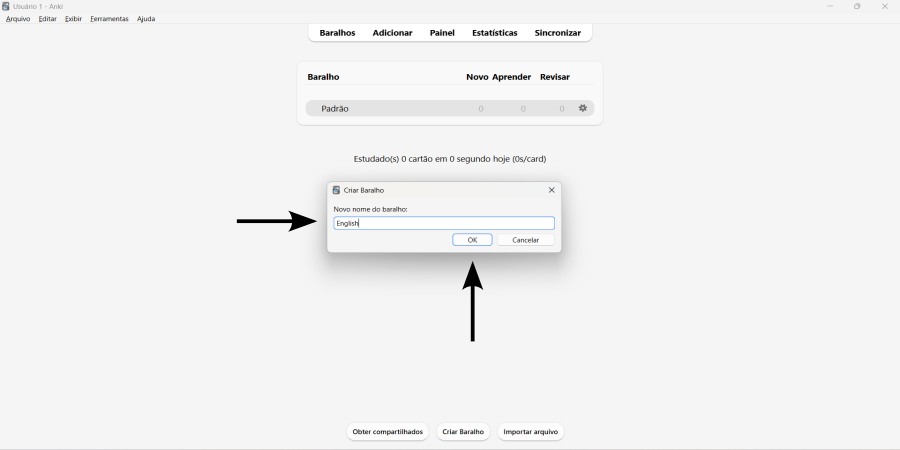
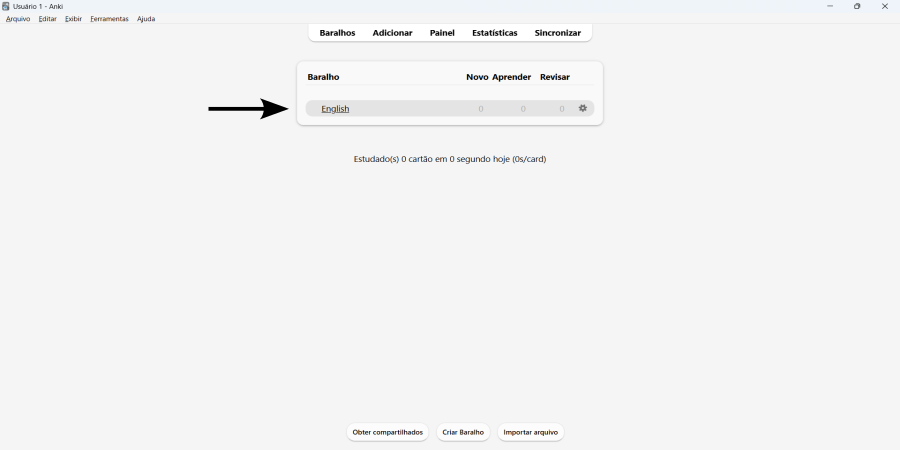
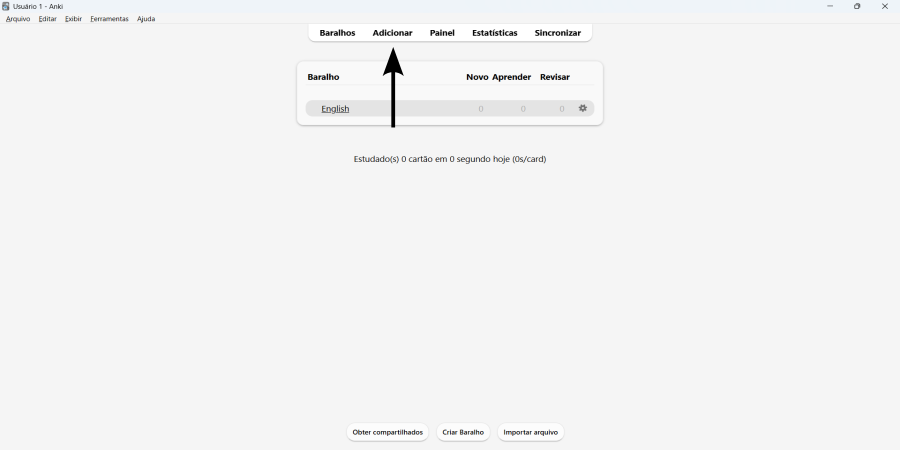
To add new cards to your deck, simply click “Add”:
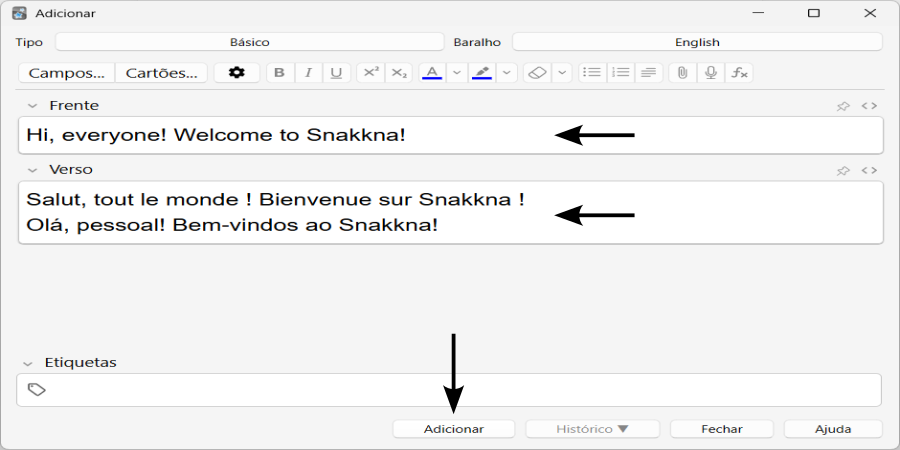
And here is where we create our cards:
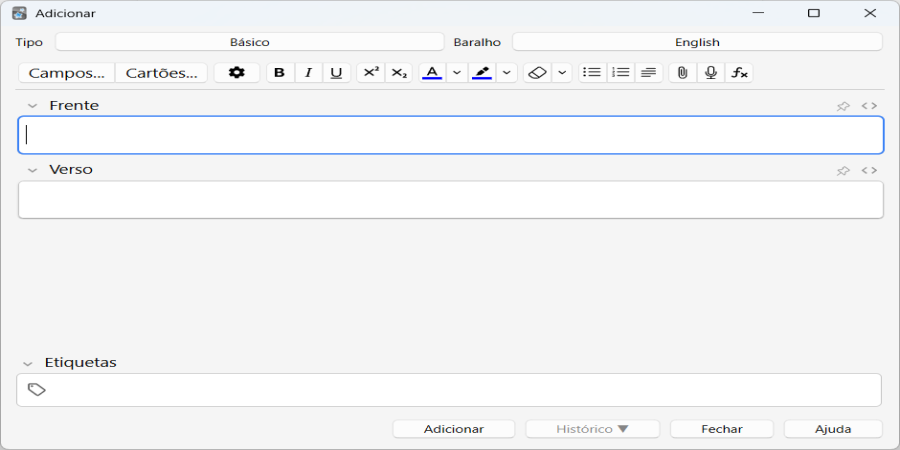
Now, you just need to create a card, writing the sentence you want to learn on the Front of the card and the translation and/or explanation on the Back:
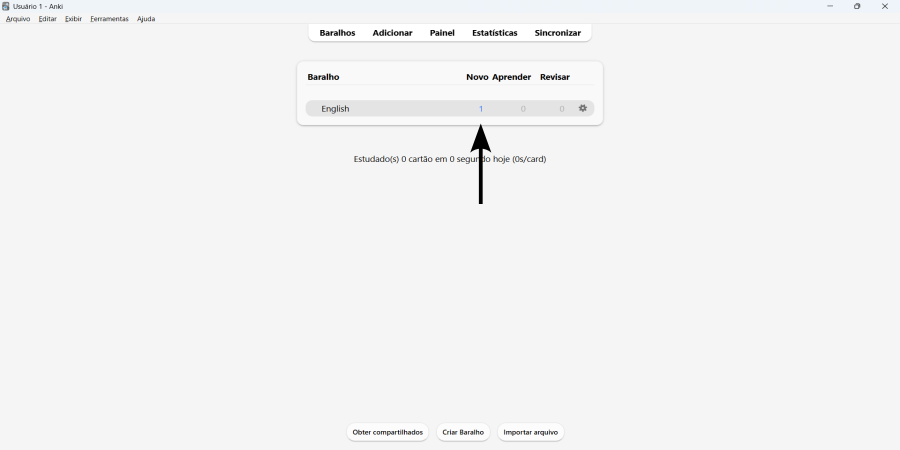
Notice that the card is already in the deck, ready to be reviewed:
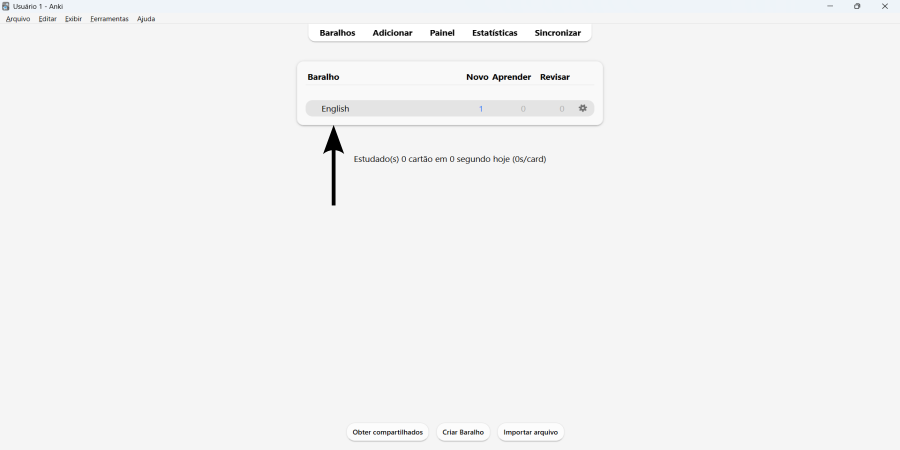
To review the deck, simply click on it:
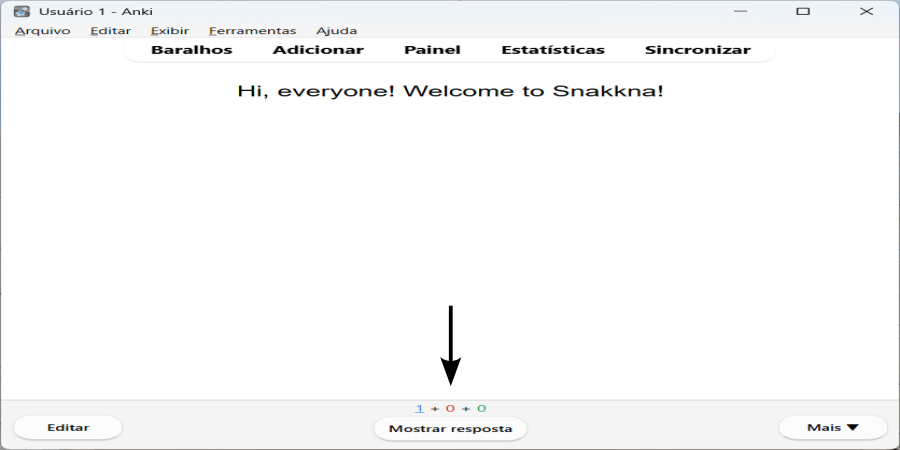
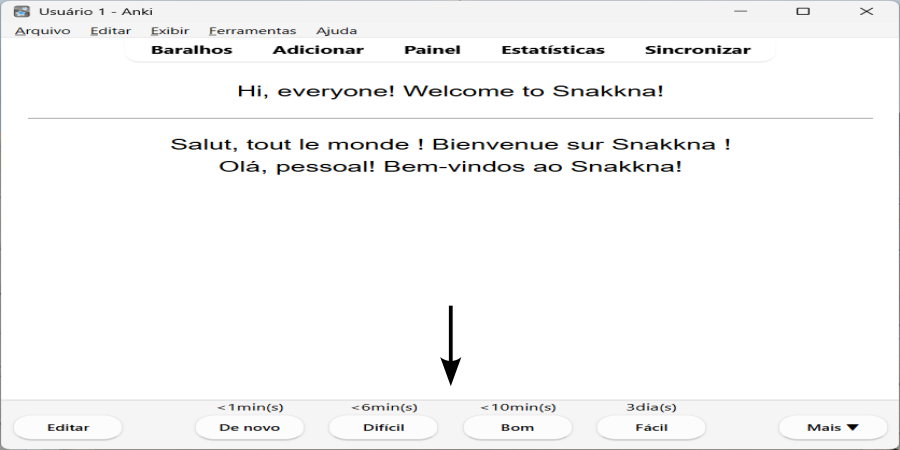
Lastly, click on “Show Answer” and choose the most suitable option according to your understanding of the sentence:
Quite simple, isn't it? Now that you know what method to use and what to do, visit the second post in this series and study your first text. Boa sorte!